Stop scrubbing. Start reading.
VoiceClue turns every voice message you receive into text: a title, a summary, to-dos and dates — read in seconds instead of heard in minutes. And when you go looking for something later, your archive answers.
ENCRYPTED ON YOUR IPHONE · START WITHOUT AN ACCOUNT
You know the one.
Your best friend: 4:12 minutes about the move — the date is in there somewhere.
The contractor: three messages, one invoice, one date. Which one?
Mum: “Oh, and one more thing …” at minute three.
Voice messages are wonderful for the people sending them. VoiceClue is for you — because you are the one receiving them.
One tap. The rest happens on its own.
“Share”
A voice message arrives, you tap the share sheet and pick VoiceClue. From WhatsApp, Signal or any other app — that is the whole thing.


“Let go”
Put your phone away. VoiceClue transcribes and analyses in the background, then sends you a notification the moment it is done.
“Read”
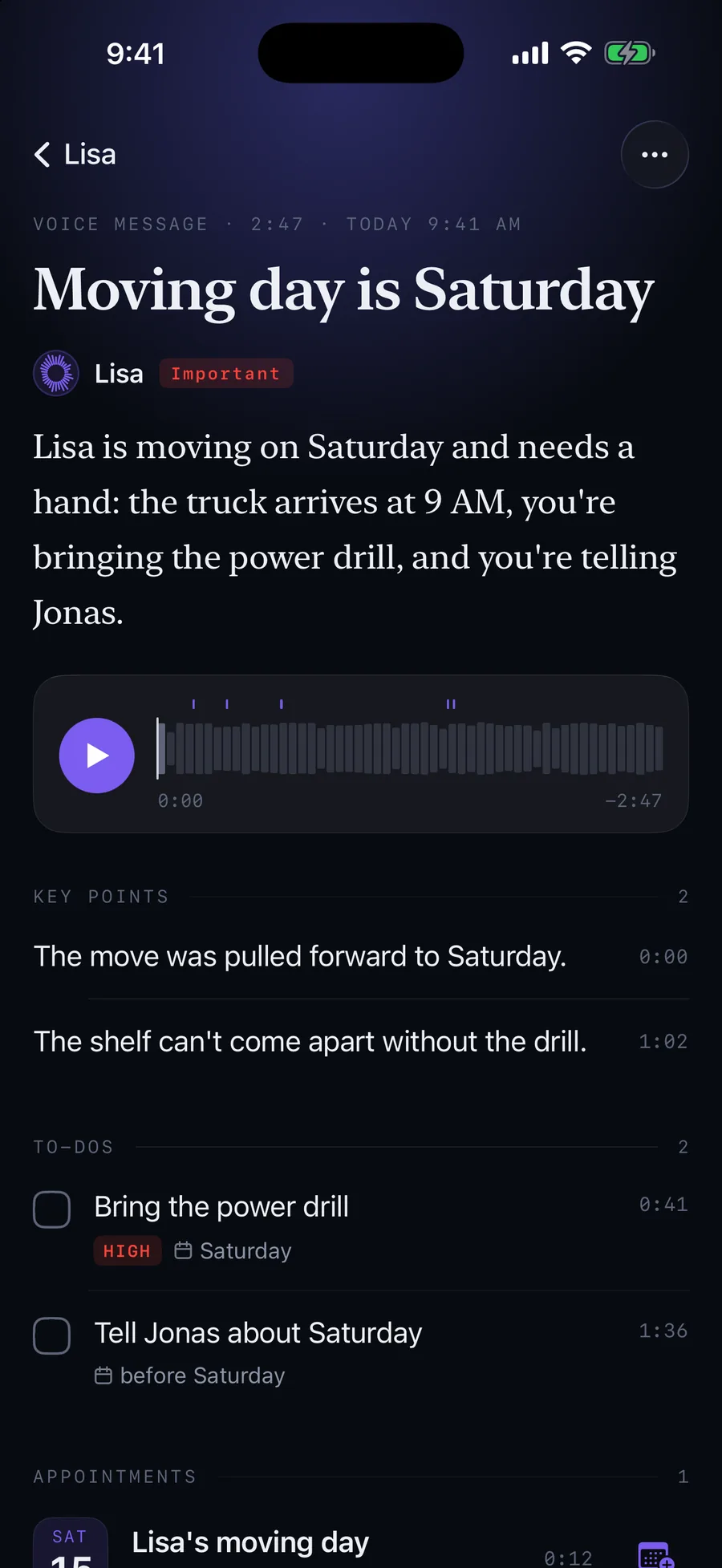
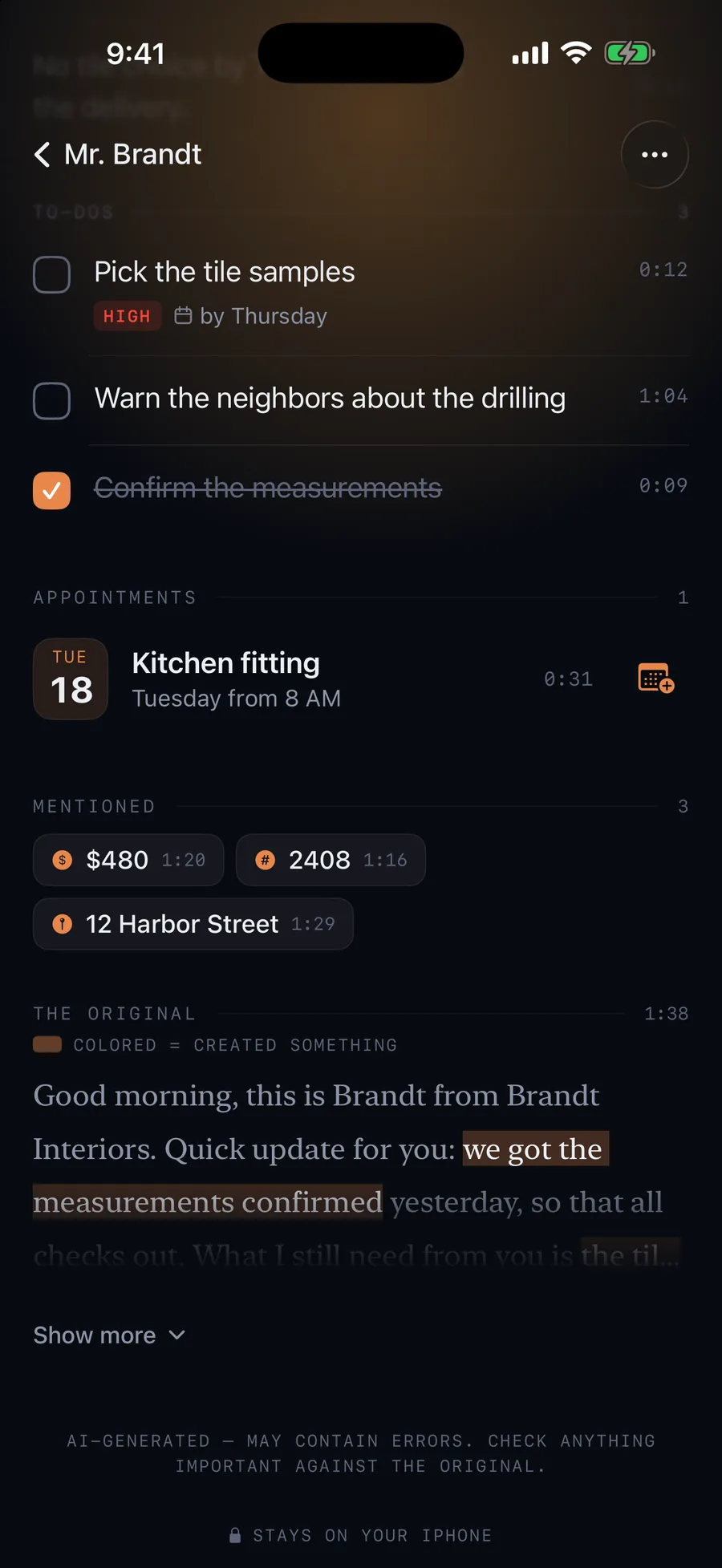
A document instead of an audio track: a title, a summary, tasks with due dates, appointments for your calendar. And the original stays one tap away.
“Share”
A voice message arrives, you tap the share sheet and pick VoiceClue. From WhatsApp, Signal or any other app — that is the whole thing.
“Let go”
Put your phone away. VoiceClue transcribes and analyses in the background, then sends you a notification the moment it is done.
“Read”
A document instead of an audio track: a title, a summary, tasks with due dates, appointments for your calendar. And the original stays one tap away.
You listen. VoiceClue takes notes.
“Could you also …?” becomes a task. “Next Tuesday” becomes a date.
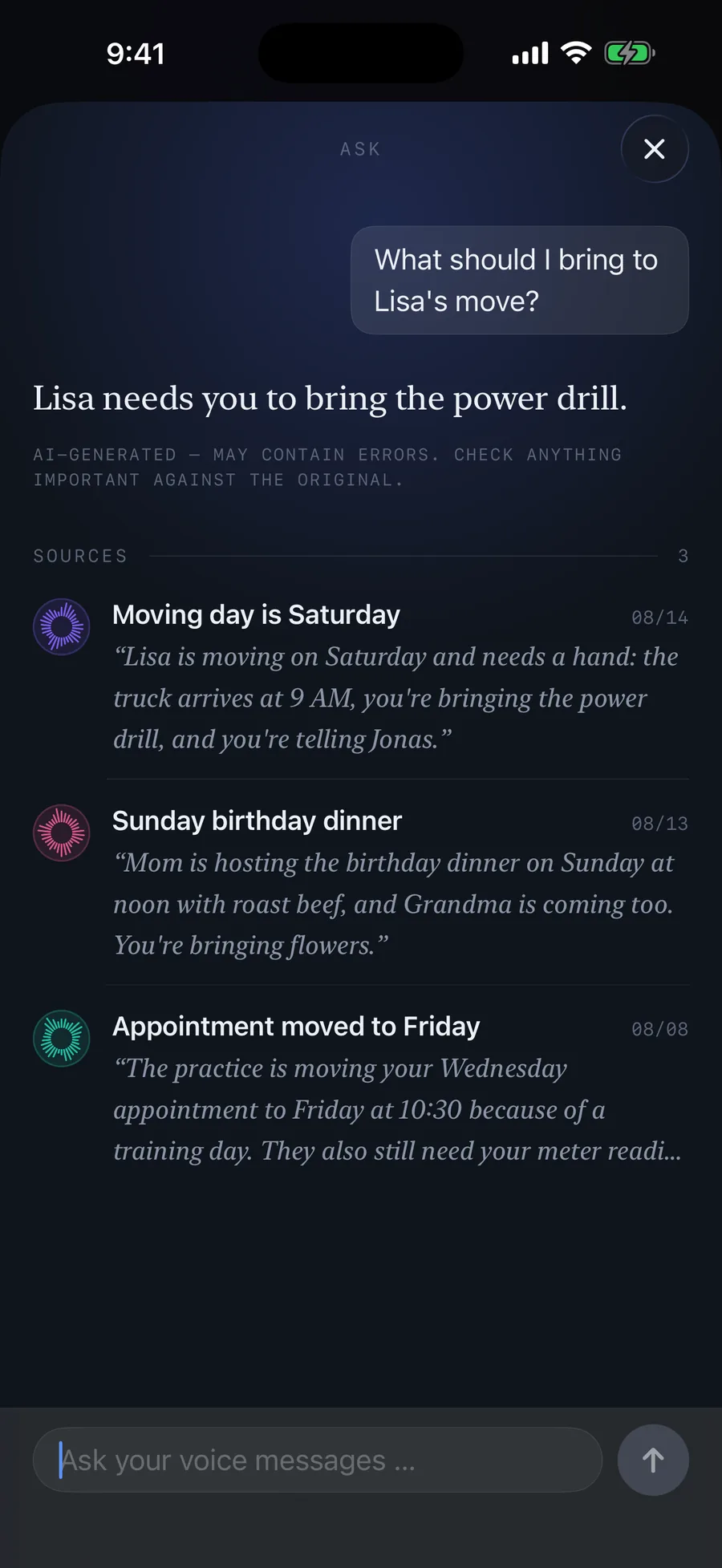
Ask the question. Your archive answers.
Like a memory for everything anyone ever told you.
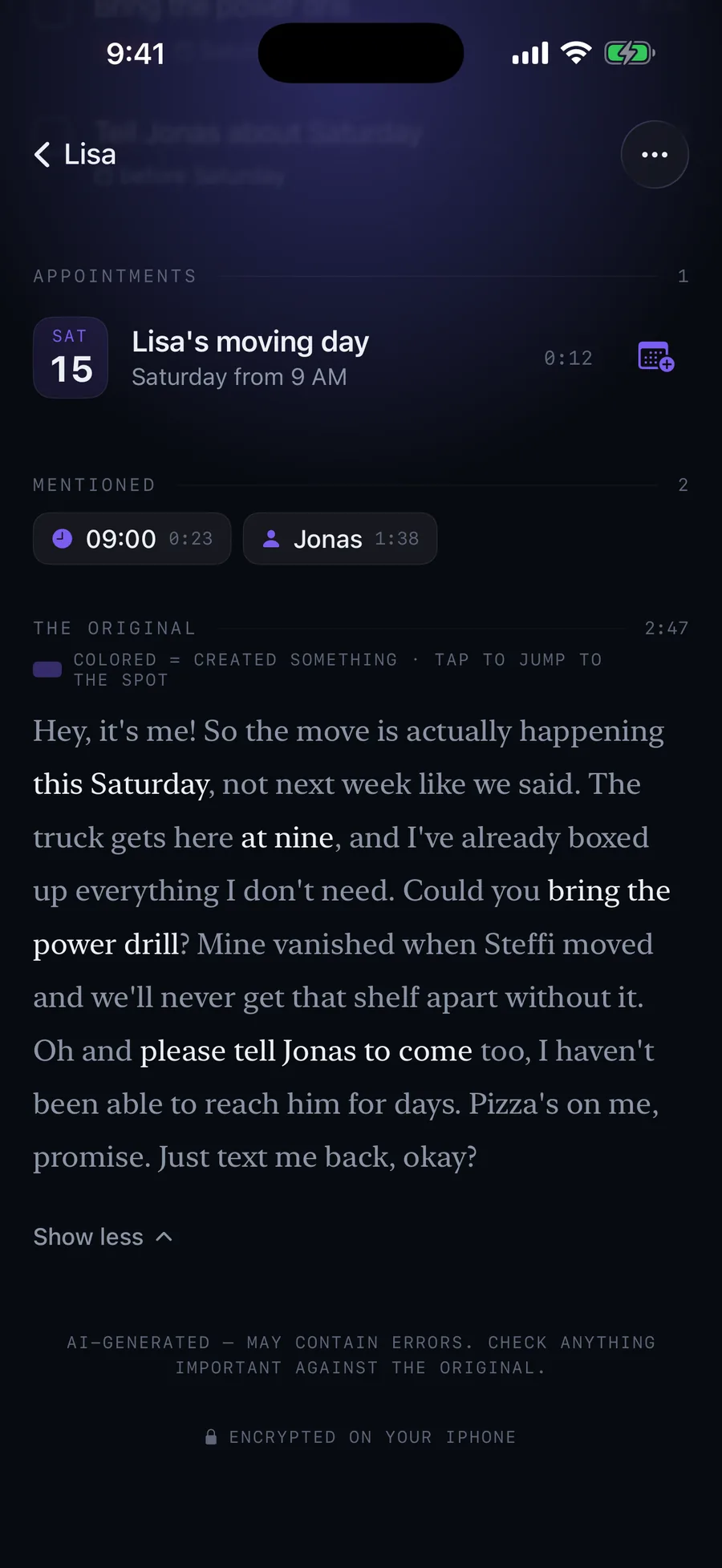
Trust is good. Hearing it again is better.
Every piece of information shows you where it came from.
People, not files.
Your messages sort themselves — by the voices behind them.
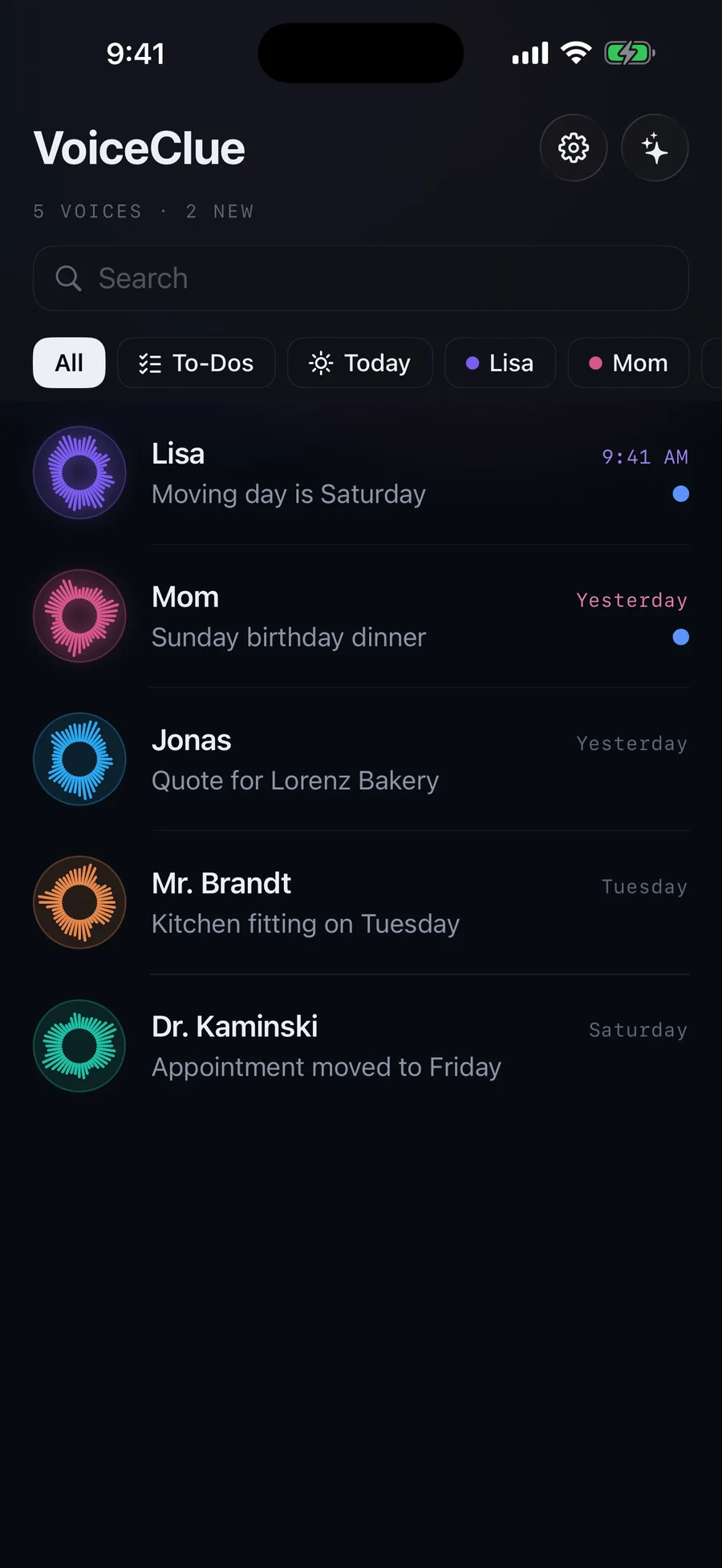
One list for everything open.
The to-do filter gathers every open task from every message — one list, tick it off, done.
What matters comes to you.
Anything that sounds urgent carries a mark and the reason for it — you see at once which message cannot wait.
It learns your world.
Names, jargon, nicknames: correct one once in a transcript and VoiceClue remembers the spelling for every message that follows.
As private as a voice has to be.
Voice messages are the most personal thing your iPhone holds. VoiceClue treats them that way.
DEUTSCH · ENGLISH · ESPAÑOL · FRANÇAIS · ITALIANO · POLSKI · TÜRKÇE · ΕΛΛΗΝΙΚΆ
Your day, one tap later.
Listen to 4:12, rewind, listen again.
Read the title, tick off two to-dos.
“When was that again?” — scroll, search, give up.
Ask — an answer with its receipt.
Notes, screenshots, trying to remember.
One folder per person, one list for everything open.
The next voice message is coming.
Let it be the first one you do not have to listen to.
For iPhone · Free download · Android to follow